Live streams
See everyone who is live right now and drop into any stream. Chat with the room and send gifts to the host while they're on air.
Layali Live brings live streams, voice party rooms and private chat into one app. Go on mic with friends, watch a stream that catches your eye, or just talk — whatever the night turns into.
Free to download · iPhone · Available in 5 languages
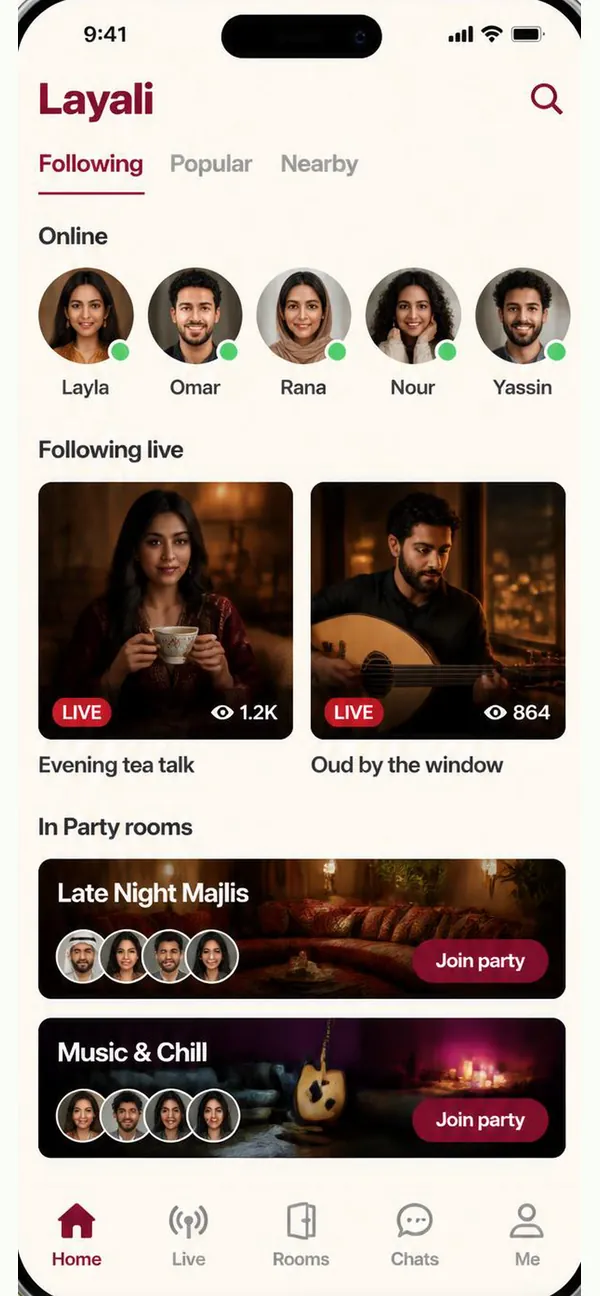
Every part of Layali Live is built around live voice and video — not another feed to scroll past.
See everyone who is live right now and drop into any stream. Chat with the room and send gifts to the host while they're on air.
Voice rooms with real seats. Take the mic, chat with everyone in the room and send gifts. Some rooms are locked and ask for a password before you join.
Chat one-on-one with the hosts you follow. Messages from strangers are filtered by default, and conversations sync across devices, so switching phones never costs you a thread.
Follow the people you like. Your home screen shows which of them are online or live, alongside the party rooms open right now.
Send animated gifts on stream or in a party room. Gifts are paid for with diamonds.
Your level rises as you send and receive gifts, and shows on your profile. There is no way to buy it.
Five tabs, no clutter: Home, Live, Rooms, Chats, Me.
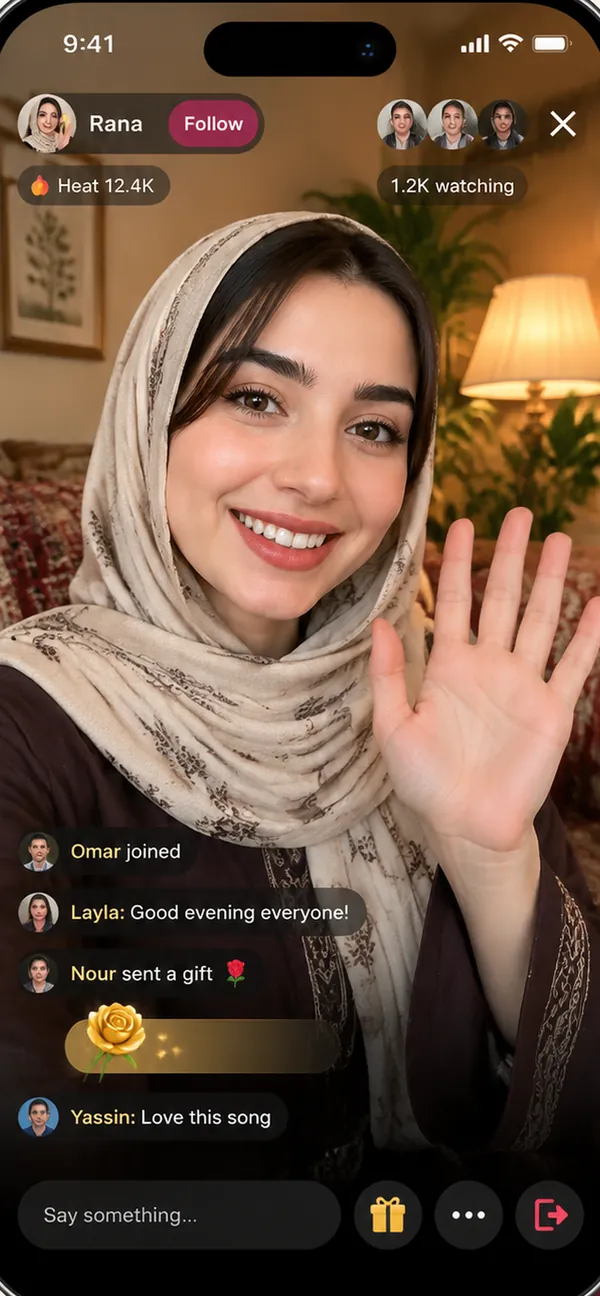
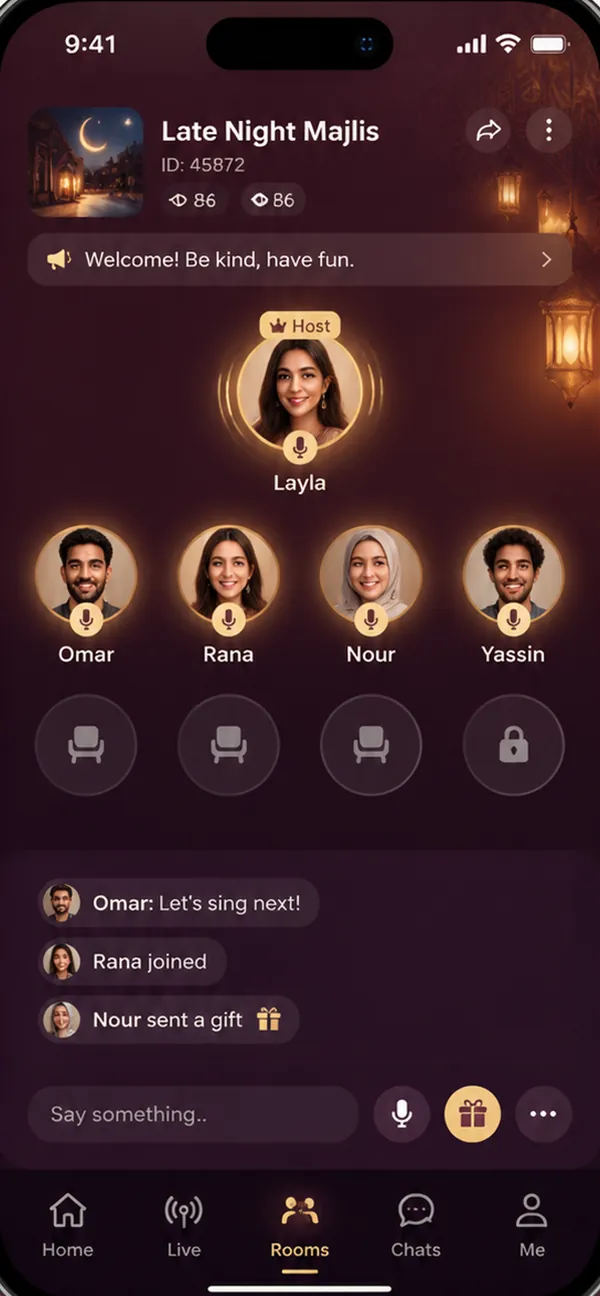
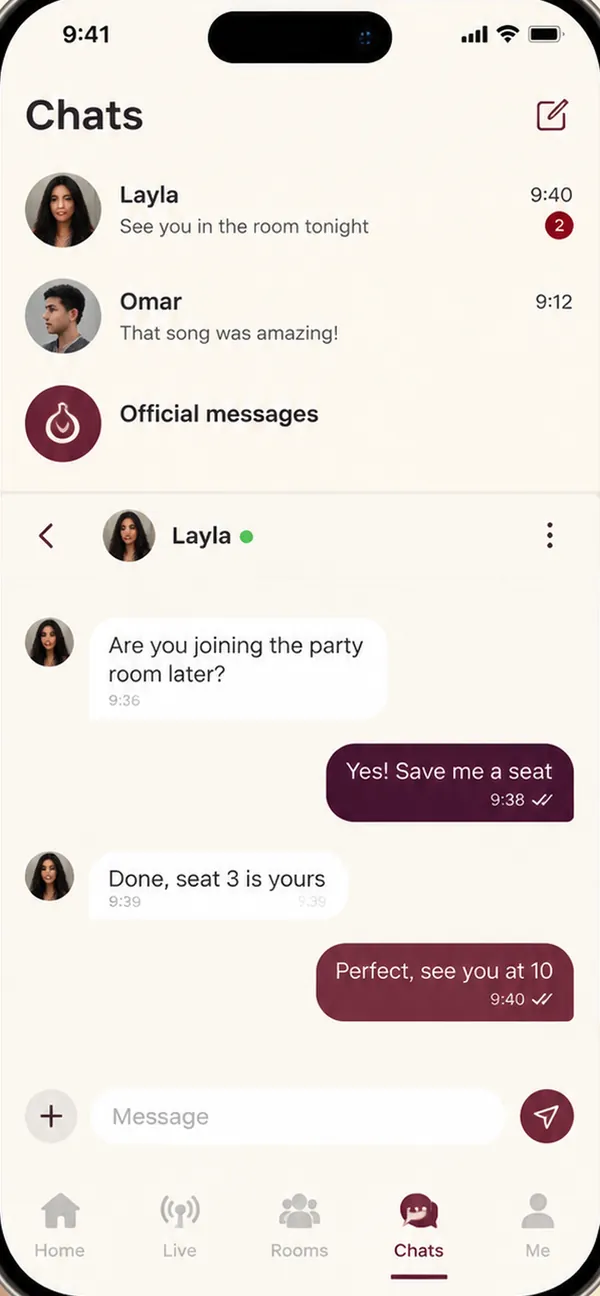
Sign in, drop into a live stream, join a party room, chat and manage your settings — recorded on an iPhone.
One balance, one simple rule — and no hidden charges anywhere.
You top up diamonds through the App Store. Nothing is charged outside the store, and diamonds land in your balance as soon as the store confirms the payment.
If a top-up doesn't show up, reopen the top-up screen — the app re-checks the purchase you already paid for and credits it automatically. It never buys anything new.
Layali Live never sees or stores your card. Refunds, receipts and purchase history are handled by Apple under its own terms.
The controls are in the room, not buried in a settings page.
Layali Live asks for the microphone only when you take a seat on mic, and for the camera only when you take a new profile photo; choosing an existing photo uses the system picker and needs no permission. On first launch iOS also asks whether we may measure which campaign brought you here. Decline any of them and the rest of the app keeps working — you can still listen and watch.
Public room chat and private messages run through an automated content filter. Anything it blocks is never sent.
Report someone from their profile card, from a live stream's menu, or from a private chat. Reports go to a moderation team, not into a void.
Log out on any device, or delete the account outright from Settings → Account actions. Deletion is permanent and we say so before you confirm.
Layali Live is for adults. Accounts found to belong to minors are removed when we learn of them.
Free to download. Sign up with your email in a few seconds and you're in the first room before the night starts.
Available on the App Store for iPhone.
Yes. Downloading the app, watching streams, joining rooms and chatting cost nothing. The only money in the app is diamonds, which you buy through the app store if you want to send gifts.
With an email address and a password (at least 6 characters). Enter them on the welcome screen: a new email creates your account, and a short setup asks for a nickname and a profile picture. Next time, the same email and password sign you back in — on any phone.
No. Without the microphone you can still watch streams and listen in party rooms. Layali Live asks for it only when you take a seat on mic.
English, Arabic, Spanish, Hindi and Turkish. Arabic runs in a full right-to-left layout, not a mirrored English one. You can switch language any time in Settings → Language.
Reopen the top-up screen — the app checks for unfinished purchases and credits them automatically. If the store has taken the payment, the diamonds arrive then — you will not be charged twice. If it still doesn't resolve, contact support with your user ID and the store receipt.
In the app: Settings → Account actions → Delete account. It is permanent — your profile, balance and friends stop being reachable, and signing in again creates a brand-new account. Full details are in the Privacy Policy.
No. Diamonds are forfeited when an account is deleted and cannot be transferred or refunded. Spend your balance first if that matters to you.
Report them from their profile card, and block them so they cannot message you. If it is urgent or involves a minor, email us directly — see the Support page.